The personal Blog of Chris Dempsey

Chris is a web developer working freelance in Ayr nr Glasgow, Scotland. Other business interests include Underground Grapics, a company that manufactures vinyl decals for modified cars.

Wednesday, 15 June 2011

MODx - Enable TinyMCE Table Controls

To add the Table Controls to TinyMCE in MODx Revolution:
  • Navigate to System > System Settings
  • Select TinyMCE from the dropdown filter
  • Under the General Area add table to the value of tiny.custom_plugin
  • Under the Custom Buttons Area add tablecontrols to the value of tiny.custom_buttons3
    The Table Controls have quite a few buttons and are best suited to being on a custom_buttons row on their own.

    Update 11 March 2013:  TinyMCE is not available in MODX Revolution 2.2.2, instead search for tiny.custom_plugin and add table to its value, then search tiny.custom_buttons3 and add tablecontrols to its value.

    Screenshots from MODX Revolution 2.1.1-pl.


    More information in the MODX Documentation at: http://rtfm.modx.com/display/ADDON/TinyMCE.Table+controls

    Saturday, 3 April 2010

    Canon EOS 20D Drivers for Windows 7

    The Canon Europe website does not list Canon EOS 20D Drivers for Windows 7 at this time. I tried the Vista driver installer but the 20D would not respond. Google came up trumphs again with a Forum post that suggested: Set the D20 Camera Communications setting on PTP instead of NORMAL.

    Works for me.

    Sunday, 21 March 2010

    Fixing Unable to find the socket transport "ssl" on Windows 2003

    If you receive the error below, often seen when using the Zend Gdata library follow the instructions below to correct the issue.

    Fatal error: Uncaught exception 'Zend_Gdata_App_HttpException' with message 'Unable to Connect to ssl://www.google.com:443. Error #24: Unable to find the socket transport "ssl" - did you forget to enable it when you configured PHP?'

    1. run phpinfo(); to find the path to the loaded php.ini config file
    2. open the file and ensure extension=php_openssl.dll is not commented out
    3. restart IIS from command prompt with command iisreset

    Saturday, 20 March 2010

    IIS 7.5 ASP Error

    On freshly installed IIS 7.5 classic ASP website returns following generic error:

    An error occurred on the server when processing the URL. Please contact the system administrator.

    If you are the system administrator please click here to find out more about this error.

    Issue is caused by IIS 7.5 being set by default to not send errors to the browser. To change open the relevant site in IIS, select ASP

    Expand the Debugging Properties tree and set Send Errors To Browser to True. Then click Apply in the top right of the window.

    IIS will now send errors to the browser allowing easier debugging. Sending errors to the browser is not recommended for production environments as it can give away information that you don't want to such as the path to an access database.

    These settings can also be configured using the command-line tool AppCmd.exe with the following syntax:

    appcmd.exe set config "Default Web Site" -section:system.webServer/asp /scriptErrorMessage:"An error occurred."

    appcmd.exe set config "Default Web Site" -section:system.webServer/asp /scriptErrorSentToBrowser:"False"

    Tuesday, 2 March 2010

    Error '80040211' - when CDOSYS email goes wrong

    We had an issue on an asp shopping cart site over the past day after it was moved to a new server. Initially it wouldn't send emails out which was easily sorted as the new server doesn't have Jmail installed.

    I switched it to CDOSYS instead but in my haste forgot that CDOSYS should be authenticated causing the following error:
    error '80040211'
    /includes/functions.asp, line 537
    This was an issue because during the checkout process the shopping cart sends an email to the store owner and the customer but this was failing and people thought their order hadn't been taken. Worse still there is no error handling for this and customers were just seeing a white screen with a non descriptive error.

    Fortunately the shopping cart software wrote all the order details to the database before the error occurred so we were able to contact those who thought their order had failed.

    Moral of the story is not to migrate a busy website to a new server and not test it thoroughly.

    Friday, 26 February 2010

    And this is why some people should not be allowed to have content management

    Was working on a site that a client maintains using Macromedia Contribute recently. They were told it was a bad idea at the time...

    Check this out for a single paragraph tag:

    <p align="center" class="txtWhosWhoName style9" style="margin-bottom: 0;"><span style="font-family:times new roman;font-size:13px;"><span style="font-family:Times New Roman;font-size:16px;"><span style="font-family:times new roman;font-size:13px;"><span style="font-family:times new roman;font-size:13px;"><span style="font-family:times new roman;font-size:13px;"><span style="font-family:Times New Roman;font-size:16px;"><span style="font-family:times new roman;font-size:13px;"><span style="font-family:times new roman;font-size:13px;"><span style="font-family:Times New Roman;font-size:16px;"><span style="font-family:times new roman;font-size:13px;"><span style="font-family:Times New Roman;font-size:16px;"><span style="font-family:times new roman;font-size:13px;"><span style="font-family:times new roman;font-size:13px;"><span style="font-family:times new roman;font-size:13px;"><span style="font-family:Times New Roman;font-size:16px;"><span style="font-family:times new roman;font-size:13px;"><span style="font-family:times new roman;font-size:13px;"><span style="font-family:times new roman;font-size:13px;"><span style="font-family:Times New Roman;font-size:16px;"><span style="font-family:times new roman;font-size:13px;"><span style="font-family:times new roman;font-size:13px;"><span style="font-family:times new roman;font-size:13px;"><span style="font-family:Times New Roman;font-size:16px;"><span style="font-family:times new roman;font-size:13px;"><span style="font-family:times new roman;font-size:13px;"><span style="font-family:Times New Roman;font-size:16px;"><span style="font-family:times new roman;font-size:13px;"><span style="font-family:Times New Roman;font-size:16px;"><span style="font-family:times new roman;font-size:13px;"><span style="font-family:times new roman;font-size:13px;"><span style="font-family:times new roman;font-size:13px;"><span style="font-family:Times New Roman;font-size:16px;"><span style="font-family:times new roman;font-size:13px;"><span style="font-family:times new roman;font-size:13px;"><span style="font-family:Times New Roman;font-size:16px;"><span style="font-family:times new roman;font-size:13px;"><span style="font-family:times new roman;font-size:13px;"><span style="font-family:times new roman;font-size:13px;"><span style="font-family:Times New Roman;font-size:16px;"><span style="font-family:times new roman;font-size:13px;"><span style="font-family:times new roman;font-size:13px;"><span style="font-family:Times New Roman;font-size:16px;"><span style="font-family:times new roman;font-size:13px;"><span style="font-family:Times New Roman;font-size:16px;"><span style="font-family:times new roman;font-size:13px;"><span style="font-family:times new roman;font-size:13px;"><span style="font-family:times new roman;font-size:13px;"><span style="font-family:Times New Roman;font-size:16px;"><span style="font-family:times new roman;font-size:13px;"><span style="font-family:times new roman;font-size:13px;"><span style="font-family:times new roman;font-size:13px;"><span style="font-family:Times New Roman;font-size:16px;"><span style="font-family:times new roman;font-size:13px;"><span style="font-family:times new roman;font-size:13px;"><span style="font-family:times new roman;font-size:13px;"><span style="font-family:Times New Roman;font-size:16px;"><span style="font-family:times new roman;font-size:13px;"><span style="font-family:times new roman;font-size:13px;"><span style="font-family:Times New Roman;font-size:16px;"><span style="font-family:times new roman;font-size:13px;"><span style="font-family:Times New Roman;font-size:16px;"><span style="font-family:times new roman;font-size:13px;"><span style="font-family:times new roman;font-size:13px;"><span style="font-family:times new roman;font-size:13px;"><span style="font-family:Times New Roman;font-size:16px;"><span style="font-family:times new roman;font-size:13px;"><span style="font-family:times new roman;font-size:13px;"><span style="font-family:Times New Roman;font-size:16px;"><span style="font-family:times new roman;font-size:13px;"><span style="font-family:times new roman;font-size:13px;"><span style="font-family:times new roman;font-size:13px;"><span style="font-family:Times New Roman;font-size:16px;"><span style="font-family:times new roman;font-size:13px;"><span style="font-family:times new roman;font-size:13px;"><span style="font-family:Times New Roman;font-size:16px;"><span style="font-family:times new roman;font-size:13px;"><span style="font-family:Times New Roman;font-size:16px;"><span style="font-family:times new roman;font-size:13px;"><span style="font-family:times new roman;font-size:13px;"><span style="font-family:times new roman;font-size:13px;"><span style="font-family:Times New Roman;font-size:16px;"><span style="font-family:times new roman;font-size:13px;"><span style="font-family:times new roman;font-size:13px;"><span style="font-family:times new roman;font-size:13px;"><span style="font-family:Times New Roman;font-size:16px;"><span style="font-family:times new roman;font-size:13px;"><span style="font-family:times new roman;font-size:13px;"><span style="font-family:times new roman;font-size:13px;"><span style="font-family:Times New Roman;font-size:16px;"><span style="font-family:times new roman;font-size:13px;"><span style="font-family:times new roman;font-size:13px;"><span style="font-family:Times New Roman;font-size:16px;"><span style="font-family:times new roman;font-size:13px;"><span style="font-family:Times New Roman;font-size:16px;"><span style="font-family:times new roman;font-size:13px;"><span style="font-family:times new roman;font-size:13px;"><span style="font-family:times new roman;font-size:13px;"><span style="font-family:Times New Roman;font-size:16px;"><span style="font-family:times new roman;font-size:13px;"><span style="font-family:times new roman;font-size:13px;"><span style="font-family:Times New Roman;font-size:16px;"><span style="font-family:times new roman;font-size:13px;"><span style="font-family:times new roman;font-size:13px;"><span style="font-family:times new roman;font-size:13px;"><span style="font-family:Times New Roman;font-size:16px;"><span style="font-family:times new roman;font-size:13px;"><span style="font-family:times new roman;font-size:13px;"><span style="font-family:Times New Roman;font-size:16px;"><span style="font-family:times new roman;font-size:13px;"><span style="font-family:Times New Roman;font-size:16px;"><span style="font-family:times new roman;font-size:13px;"><span style="font-family:times new roman;font-size:13px;"><span style="font-family:times new roman;font-size:13px;"><span style="font-family:Times New Roman;font-size:16px;"><span style="font-family:times new roman;font-size:13px;"><span style="font-family:times new roman;font-size:13px;"><span style="font-family:times new roman;font-size:13px;"><span style="font-family:Times New Roman;font-size:16px;"><span style="font-family:times new roman;font-size:13px;"><span style="font-family:times new roman;font-size:13px;"><span style="font-family:times new roman;font-size:13px;"><span style="font-family:Times New Roman;font-size:16px;"><span style="font-family:times new roman;font-size:13px;"><span style="font-family:times new roman;font-size:13px;"><span style="font-family:Times New Roman;font-size:16px;"><span style="font-family:times new roman;font-size:13px;"><span style="font-family:Times New Roman;font-size:16px;"><span style="font-family:times new roman;font-size:13px;"><span style="font-family:times new roman;font-size:13px;"><span style="font-family:times new roman;font-size:13px;"><span style="font-family:Times New Roman;font-size:16px;"><span style="font-family:times new roman;font-size:13px;"><img src="images/2010_000.jpg" width="700" height="525" /></span></span></span></span></span></span></span></span></span></span></span></span></span></span></span></span></span></span></span></span></span></span></span></span></span></span></span></span></span></span></span></span></span></span></span></span></span></span></span></span></span></span></span></span></span></span></span></span></span></span></span></span></span></span></span></span></span></span></span></span></span></span></span></span></span></span></span></span></span></span></span></span></span></span></span></span></span></span></span></span></span></span></span></span></span></span></span></span></span></span></span></span></span></span></span></span></span></span></span></span></span></span></span></span></span></span></span></span></span></span></span></span></span></span></span></span></span></span></span></span></span></span></span></span></span></span></span></span></span></span></span></span></p>

    Wednesday, 17 February 2010

    How to change an image filename in Picasa Web Albums

    Picasa Web Albums does not seem to allow users to edit the filename of an image once it has been uploaded.

    The filename can be changed using Picasa by doing the following:

    Select the image you wish to rename and press F2 to rename, or select the image and choose File > Rename and enter the filename you wish to use.


    To have the new filename shown in Picasa Web Albums simply select the image(s) you wish to update, right click and select Online Actions > Update Online Photo


    More details on changing an image filename in Picasa Web Albums, including notes on how to sequentially number a selection of photos is available at http://picasa.google.com/support/bin/answer.py?hl=en&answer=19548

    Saturday, 6 February 2010

    IcyBox - An unexpected network error occurred - IB-NAS3221-B


    In December 2009 our Bufallo Terastation failed first with a corrupt Kernel then a RAID failure. We were forced to purchase a new NAS box and had to take what we could get same day on a Saturday which turned out to be an IcyBox IB-NAS3221-B from RaidSonic.

    The device accepts 2 drives and we installed a new 500gb SATA unit. After an arduous 24 hour backup restore from a USB 1.0 drive and then 18 hours of copying across the network to the new NAS box we should have been set.

    Several times though the first day of using the device with 4 people using it as a simple file server it was throwing errors:
    • An unexpected network error occurred
    • Not enough memory to complete opperation
    The error happened both at random times when not much was happening and also when we were copying large amounts of files to or from the device. It seemed that anything over 600mb tripped it up or any copy operation involving more than 2000 files.

    One of the Dell Desktop PCs seemed less affected when copying files than my ASUS VX2s so it looked like the network controller on my may have been part of the issue. We also tried using RoboCopy to do some copy operations but that too was unable to shift files to and from the IcyBox.

    We ended up shifting the files by hand to a Synology DS508 which would allow our nightly backup routines to an external USB 2.0 devide to run without failing.

    Now that the IcyBox is somewhat redundant I updated the firmware from the version shipped from the factory to the latest IB-v263n-v01.3-20090826. The firmware upgrade took about 10 minutes and went without issue.

    I'm currently copying 26gb [25, 000] of files from Synology unit to the IcyBox and 2 hours in it's running away nicely at around 1.96mb/sec on our 100mbit network. If I'd had the balls to try a firmware update on a working drive looks very much like it would have saved days of time. Given the choice again there's still no way I'd risk that much data on a firmware update with no way of having a full backup available for immediate restore.

    UPDATE [03 July 2010]: I noticed a few referrals coming from a topic over at Tom's Hardware and thought I should update this post.  The firmware update I applied did not resolve the issues with the NAS so it was shelved for a good few months.  Fired it back up a couple of weeks ago and the thing refuses to boot now, simply showing the word 'Booting' on the screen.  The drives did spin up but the power button did not turn the unit off.  Removing the drives produced the same results so now it's going back to the store for a credit note.

    Sunday, 31 January 2010

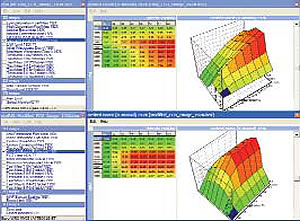
    ECU Remapping for Diesel and Petrol in Ayrshire


    ECU Remapping is one of the main performance tuning services provided by Moorfield Motor Services in Kilmarnock, Ayrshire.

    Benefits of an ECU remap
    • Increased throttle response
    • Increased torque
    • Better driveability
    • Improved fuel economy
    • No compromise on reliability

    Diesel cars, most notably turbo diesel cars, stand to achieve some of the best increases from an ECU Remap. Typically a remapped diesel turbo ECU can produce a 30-40% increase in BHP and up to 60% increase in torque depending on your specific car.

    ECU remapping is better than a diesel tuning box

    ECU remapping is much safer than using a diesel tuning box which simply tricks your ECU into supplying more fuel to the engine. This approach can lead to problems including excessive wear on components, heavy black emissions and engine check lights being activated. Compare this to the ECU remap service offered by Moorfield which adjusts specific areas of your car's original ECU map.

    How much extra power will I get?

    Call 01563 537 145 or email info@moorfieldmotorservices.co.uk with details of your car for advice on what can be done for your particular vehicle and the gains you can expect.

    Moorfield Motor Services' website is available at www.moorfieldmotorservices.co.uk

    Friday, 27 November 2009

    Vista Backup Failed - Error 0x80070005, Access Denied

    Ran a routine backup using the Vista Backup and Restore Centre today and it failed to complete giving the following error:

    Error 0x80070005, Access Denied

    Quick search on Google threw up a few tech forum posts noting that various anti-virus software can cause this error. The backup has run successfully many times previously with Kaspersky active but I tried turning off Lavasoft's Ad-Aware and ran the Vista Backup agian. It completed successfully this time. Problem solved.

    Useful link for similar problems is Common causes and solutions to Backup, System Restore, and Complete PC Backup problems on the Microsoft Storage Team Blog.

    UPDATE: Got the same error again, first thought was that it was being caused by the folder on the NAS box it was backing up to having been set to . Changing that didn't help, turns out it wanted Kaspersky Anti Virus turned off.

    Tuesday, 17 November 2009

    Website shows diamond with question mark character

    Was working on a website which was showing a strange character that looks like a diamond with a question mark in. Last time I saw this happen it was corrected by specifying the character set as utf-8 with the following meta tag:

    meta equiv="Content-Type" content="text/html; charset=utf-8"
    On this occasion the meta tag was already in place and it turns out that the page had a strange single apostrophe. In code view the single apostrophe is usually vertical but this one was slanted. Replacing with a regular one resolved the issue.


    Thursday, 15 October 2009

    Setting Dynamic File Type as 404 Error Page in IIS 6

    When setting a Custom Error page in IIS 6 you need to watch the drop down option for File or URL. Setting as File means IIS returns the page as markup so if using a dynamic file type such as PHP or ASP this setting returns your dynamic page as if it was a plain HTML page.

    To ensure the dynamic 404 error page runs set the drop down to URL which makes IIS to send a redirect to the client so the client requests the Error Page which ensures IIS runs the dynamic page before sending the output to the client.

    Monday, 7 September 2009

    Firefox 3.5.2 Content Encoding Error

    Came across an error with one of our newly launched websites recently where Frefox 3.5.2 was reporting:

    Content Encoding Error

    The page you are trying to view cannot be shown because it uses an invalid or unsupported form of compression.
    • Please contact the web site owners to inform them of this problem.
    The website does use gzip compression so initially I thought the encoding error was something to do with the compression routine. Internet Explorer 7 gave an even less helpful generic error message suggesting that the machine might not be connected to the Internet.

    Google is full of similar issues which were caused by a bug in the 3.0.3 release of Firefox.

    Opera 9.64 came to the rescue displaying the actual error which was related to a PHP switch statement used to set a Google Map API key outputting an error message before the gzip compression routine ran which meant we were attempting to send the headers after page content had been output.

    Monday, 30 March 2009

    What happens if you put a USB memory stick in a washing machine?


    Q. What happens if you put a USB memory stick in a washing machine?

    A. It comes out looking shiny new! At least that's certainly the case with my Corsair Flash Voyager. Having been subject to a full wash and spin cycle I partly expected the drive to malfunction next time it was plugged in especially as the area under the protective cap was slightly damp when it came out the wash. Fortunately the Flash Voyager's features a protective rubber body really does work.

    Having used the memory stick a number of times over the past few days it is performing as normal - read rate of around 24mb/sec and write rate of around 14mb/sec. Nice to see the manufacturer's claims of water resistance are absolutely spot on.


    Sunday, 1 February 2009

    Accessing Buffalo Terastation NAS over a Virtual Private Network

    Was working on a Buffalo Terastation Pro II at an office to which several machines have a mapped drive. The users who connect to the office location over a Virtual Private Network found the mapped drive was not available when logged in from home. Nor was a shortcut pointing at the machine name of the Terastation accessible eg. \\MyTerastation

    The solution for those connecting via the VPN turned out to be to create a new shortcut pointing at the Terastation's IP Address instead eg. \\192.169.10.54

    You can find your Terastation IP Address either using the LCD panel on the front of the Terastation or via it's web control panel by looking on the Home tab.

    Friday, 9 January 2009

    SanDisk 16GB Micro SD HC Card in ASUS P750

    Quick post to note that the 16GB version of SanDisks Micro SD HC Card works in my ASUS P750 Windows Mobile PDA Phone. Prior to purchase I couldn't find anything to say that the P750 was compatible with 16GB Micro SD cards, only a few posts saying it works with some models of Nokia phones. If you're thinking of purchasing one for your P750 it should work just fine.

    Sunday, 21 December 2008

    Windows Vista Device Drivers for Belkin F5D7000 Wireless G PCI Card

    Windows Vista failed to recognise a Belkin F5d7000 Wireless G PCI card and as it is an old card the original driver disc only covers up to Windows XP.

    Turns out there are currently 8 versions of the card as the Belkin support website explains. This particular card is a v3 [see the label on the card itself - v3000uk] and no specific Vista driver is listed on the Belkin site for the v3 card. I blindly downloaded the v8 driver and installed that after which Vista still protested the card was not working.

    A Blog post by Chris Pietschmann suggests that the Atheros Wireless Network Adapter driver that comes with Vista will work for the Belkin F5D7000 card. Thinking this was worth a shot I restarted the machine to find that Vista had recognised the card. So it looks like all it needs is the v8 driver and a restart.